
Most of what a small business needs from its accounting software is a short list of procedures done consistently.
The one that carries the rest is the reconciliation. Every report the system produces is built on transactions matching the bank, and none of them is worth reading until that is true.
This covers the procedures worth learning properly, in the order they depend on one another, from connecting the bank feed through to running payroll.
You do not need to be a bookkeeper to use QuickBooks, but you do need to know your way around it. These 10 procedures cover the core workflows that keep your books accurate, your cash flowing, and your accountant from spending half your meeting cleaning up errors.
1. Connecting Bank Feeds
Go to Banking > Link Account, search for your bank, and follow the authentication steps. Once connected, transactions sync automatically. Review and categorize them using the For Review tab. Create bank rules for recurring transactions (like your monthly software subscriptions) to categorize them automatically going forward.
Learn the reconciliation before anything else. Everything the software reports is built on transactions matching the bank, and no report is worth reading until that is true.
Ankit Sagatani, MBA, B.Com · LinkedIn2. Invoicing and Receiving Payments
Create invoices under Sales > Invoices. Send them directly from QuickBooks via email. When a customer pays, go to Receive Payment and apply it to the open invoice. This is what clears your accounts receivable. Never just mark a deposit as income without matching it to an invoice, or you will double-count revenue.
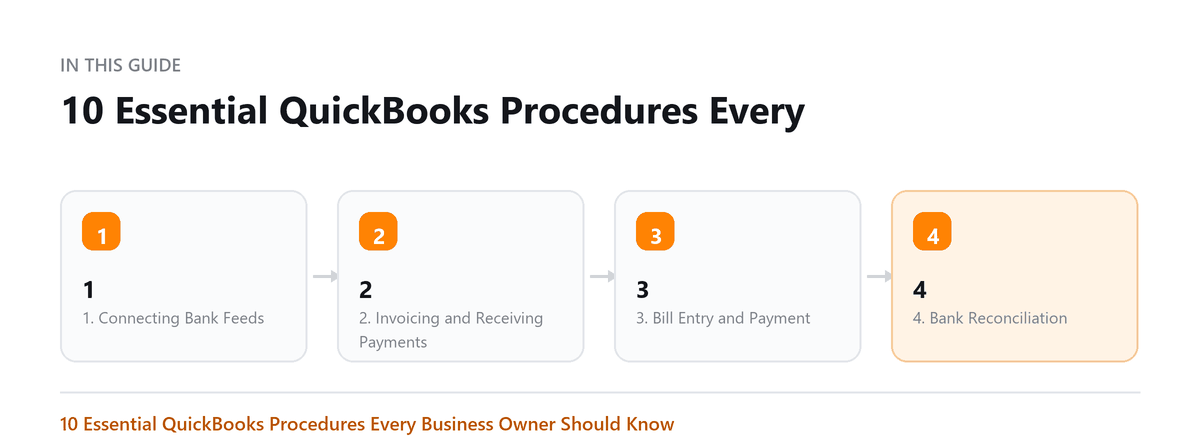
3. Bill Entry and Payment
Enter bills under Expenses > Bills when you receive a vendor invoice but have not yet paid it. This records the liability. When you pay, use Pay Bills to clear it. Paying directly through the bank feed without matching to a bill skips the accounts payable step and overstates expenses.
4. Bank Reconciliation
Go to Accounting > Reconcile. Select the account, enter the closing balance from your bank statement, and match transactions until the difference is zero. Run this monthly for every account. A persistent non-zero difference means something is entered incorrectly or missing.
5. P&L and Balance Sheet Reports
Under Reports, run the Profit and Loss report for the current month and year-to-date. Run the Balance Sheet as of month-end. Review both every month. The P&L shows revenue minus expenses. The Balance Sheet shows assets, liabilities, and equity. If equity does not match your expectations, something is wrong upstream.
6. Chart of Accounts Management
The Chart of Accounts is the backbone of QuickBooks. Access it under Accounting > Chart of Accounts. Add accounts as your business needs grow, but do not create a new account every time you have an unusual transaction, find the closest existing account or ask your accountant. Too many accounts make reports unreadable.
7. Payroll Processing
If using QuickBooks Payroll or a connected service like Gusto, run payroll on your scheduled frequency. Confirm that employer taxes (FUTA, SUTA, Social Security match) are being tracked. Verify W-2s and 1099s at year-end before your accountant files.
8. Sales Tax Setup and Filing
Set up sales tax under Taxes > Sales Tax. QuickBooks can track sales tax by jurisdiction. Review monthly or quarterly depending on your volume. Use the Sales Tax Liability report before filing to confirm the amounts. VERIFY your nexus obligations, you may owe sales tax in states where you have significant economic activity even without a physical presence.
9. Budgeting
Go to Accounting > Budgeting to create an annual budget by month. Compare actual vs budget using the Budget vs Actuals report. Running your business against a budget is one of the highest-value habits a small business owner can develop, it turns your P&L from a history report into a forward-looking management tool.
10. Year-End Close and Accountant Access
At year-end, your accountant will need access to QuickBooks. Add them as an Accountant user under Settings > Manage Users, they get access without seeing payroll details you may want to keep private. After your CPA files your return and makes any adjusting journal entries, close the books by setting a closing date under Accounting > Closing Date. This prevents future edits to closed periods.
Pro Tip: Print or export PDF copies of your year-end P&L and Balance Sheet and store them with your tax return. QuickBooks data can be changed, but a PDF is a snapshot of what you reported.
Book a free consultation and we will bring them current.
Frequently Asked Questions
How long does it take to learn QuickBooks Online?
Most business owners can handle the core workflows in a few hours of hands-on practice. Intuit offers free training through QuickBooks Training. For complex setups, a QuickBooks ProAdvisor can do a one-hour setup review.
Do I need to reconcile every account?
Reconcile any account that has a bank or credit card statement: checking, savings, credit cards, and lines of credit. Loans should also be reconciled against the lender's statement periodically.
What is a journal entry and when do I use one?
Journal entries directly debit and credit specific accounts. Most owners should never create them, that is your accountant's job for year-end adjustments. If you feel the urge to create a journal entry, ask your accountant first.
Which of these should a business owner learn, and which can be delegated?
Learn the ones you use to make decisions: reading the profit and loss and the balance sheet, and knowing what the bank reconciliation is telling you. Delegate the ones that are volume work, such as entering bills and processing payroll. The line is not difficulty, it is consequence. You do not need to be able to do the data entry, but you do need to be able to tell whether the output is plausible.
What should we set up once, at the start, and then leave alone?
The chart of accounts, the coding rules for recurring transactions, and the closing date that locks finished periods. These three are where instability does the most damage: a chart of accounts that gains a new category every month makes year-on-year comparison impossible, and rules that keep changing make trends meaningless. Agree them, write down what goes where, and change them only at a year end.

Written by
Ankit Sagatani, MBA, B.Com
Ankit works with business owners across the US on industry-specific bookkeeping, from real estate to construction and retail. He writes about what each trade's books actually need. Connect on LinkedIn Connect on LinkedIn
Free consultation
Books Behind?
Book a free consultation and we will bring them current.