
Most businesses turn to Xero with the expectation that the accounting software will help to make their processes efficient. For the first month, it appears to fulfill its promise. The bank feeds populate on their own, invoices send out with a payment link, and the dashboard looks nicer than the spreadsheet it has replaced. Then the unreconciled transactions start to mount up, the bank rules misbehave, and by quarter-end, the books are no more current than before.
Xero is a cloud-based accounting platform designed for small and medium-sized businesses, which unifies the popular features of bank feeds, reconciliation, invoicing, bills, reporting, and a large number of other tools through an application programming interfaces (APIs) in one place.
It is available as a single accounting solution where the owner, bookkeeper, and accountant can work in the same place. It is good for cases where multiple people or external contractors need access to the books.
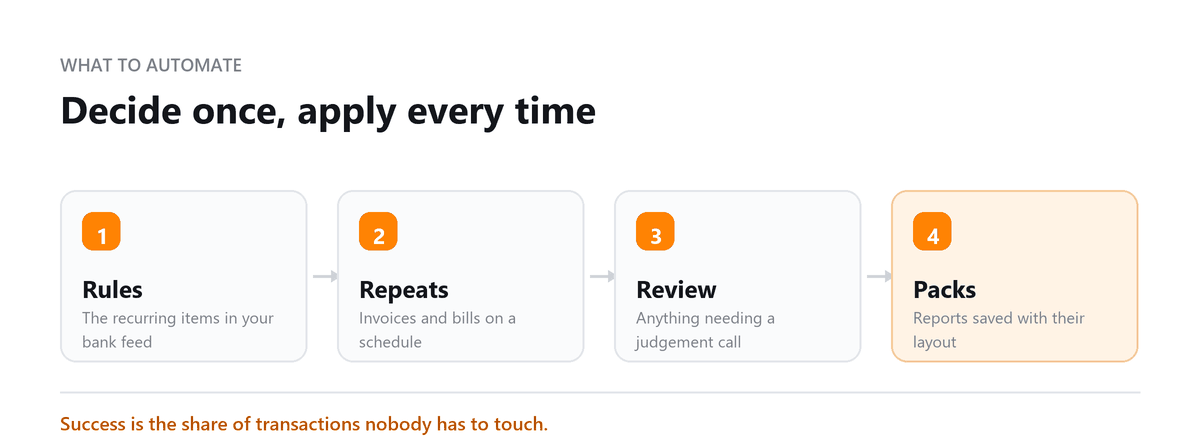
The efficiency of most businesses does not come from the presence of certain features within accounting software. It is achieved through a proper initial setup and regular maintenance of a chart of accounts in the first few weeks and following routines to keep everything up-to-date.
When a business tells me Xero isn't saving them time, the cause is almost always the setup, not the software. The chart of accounts was imported from an old system with dozens of accounts nobody uses. The payment and receipt apps were connected but never mapped properly. Fixing those three things in the first month does more for efficiency than any feature Xero releases, and it's what separates a file that reconciles in an hour from one that takes a full day.
Ankit Sagatani, MBA, B.Com · LinkedInWhy Choose Xero Accounting in 2026?
Xero is a cloud-based accounting platform built for small and medium businesses. It combines bank feeds, invoicing, payroll integration, and 1,000+ third-party app connections in a clean, accessible interface. For businesses that have outgrown spreadsheets but find QuickBooks overwhelming, Xero offers a strong middle ground particularly for businesses with multiple staff accessing the accounts.
| Advantage | Detail |
|---|---|
| Unlimited users | Every Xero plan includes unlimited users, no extra charge for owner + bookkeeper + CPA access. QuickBooks charges per additional user. |
| 1,000+ app integrations | Connect to Gusto (US payroll), Stripe, Shopify, HubSpot, Dext, and hundreds of industry-specific tools |
| Clean interface | Consistently rated easier to learn than QuickBooks, important for business owners doing their own books |
| Multi-currency | Available on the Established plan, essential for businesses with foreign clients or suppliers |
| Mobile app | Full-featured iOS and Android, receipt capture, invoice approval, bank reconciliation on the go |
| Automatic bank feeds | Connects to most major US and international banks, transactions import daily |
| Accountant access | Accountants get a free Xero account through the Partner Programme, no extra user licence required |
Xero Pricing Plans in 2026
| Plan | Approx. Monthly Price (US) | Key Limits | Best For |
|---|---|---|---|
| Early | ~$25/month | 20 invoices/5 bills per month; unlimited bank reconciliation | Sole traders and very small businesses with low transaction volume |
| Growing | ~$55/month | Unlimited invoices and bills; no multi-currency | Small businesses with regular invoicing volume; most SMBs start here |
| Established | ~$90/month | Unlimited everything + multi-currency + projects + expense claims | Businesses needing multi-currency, project tracking, or expense management |
Key Features of Xero Accounting
- Bank feeds, daily automatic import from connected bank and credit card accounts
- Reconciliation, match imported transactions to invoices, bills, and manual entries
- Invoicing, professional invoices with payment links (via Stripe or GoCardless); automated reminders
- Bills, enter and manage supplier bills; track payment due dates
- Expense claims, employee expense submission and approval workflow
- Payroll (US), via Gusto integration (US only); Xero Payroll available in some other countries
- Projects, time tracking, cost tracking, and profitability by project (Established plan)
- Reporting, P&L, Balance Sheet, Cash Flow, Aged Receivables, Budget Manager
- Multi-currency, invoice and pay in foreign currencies; automatic exchange rate updates (Established plan)
Integrating Xero with Outsourced Accounting Services
Xero's cloud architecture makes it ideal for outsourced accounting models. A business in New York can have its books managed by a Profitjets accountant remotely, all transactions, bank feeds, and reports are visible to both parties in real time. No file transfers, no version conflicts.
- Bookkeeper accesses the account directly, no need to export/import data
- All changes are timestamped with a full audit trail
- Bank reconciliation can be reviewed by the business owner and the bookkeeper simultaneously
- Monthly reports (P&L, Balance Sheet) are generated and shared directly from Xero
Using Xero with an Outsourced Accounting Team
Xero's cloud setup suits outsourced accounting because everyone works in the same live file. A business owner in New York and a bookkeeper working remotely see the same bank feeds, reconciliations, and reports at the same time, with no files emailed back and forth and no competing versions.
Each change is recorded with a user and timestamp, so it's always clear who did what. The owner can approve bills and review reports while the bookkeeper handles reconciliation and the accountant works on tax and year-end, all in the same account.
We were relying on spreadsheets and QuickBooks, but the process had become too manual and our monthly numbers were taking too long to finalize. After moving to Xero with Profitjets, the bookkeeping became much more organized, and our monthly close now takes about 5 business days instead of nearly two weeks.
Profitjets has migrated more than 40 clients between QuickBooks and Xero, and clients typically see a 20 to 30% reduction in manual bookkeeping work after the transition.
Book a free consultation and we will set the rules up properly.
FAQs
Is Xero better than QuickBooks for small businesses?
Neither is better for every business. Xero tends to suit businesses that want several people working in the books, deal in multiple currencies, or rely on an outsourced accounting team. QuickBooks Online has a larger US accountant base and more built-in US payroll options. The best choice depends on how your business runs and who will be working in the books.
Does Xero have payroll for US businesses?
Xero doesn't run US payroll itself. US businesses typically connect a payroll provider such as Gusto, which runs payroll and posts journal entries back to Xero. Include the payroll provider's fees in your total cost when comparing Xero with other systems.
How long does it take to move to Xero?
For a small business with clean records, setup and migration usually take a few weeks, including connecting bank feeds and mapping apps. It takes longer if the old books need cleanup first, which is common. Starting a new fiscal year or quarter on Xero makes the transition simpler.
Can my accountant access my Xero account?
Yes. You can invite your accountant or bookkeeper as a user, and many accounting firms work with clients through Xero's partner program. Everyone works in the same live file, so there's no need to export data or send backups.
What's the most common reason Xero doesn't save time?
Setup. An oversized chart of accounts, missing bank rules, or poorly mapped app connections turn automatic imports into manual correction work. Most businesses get the efficiency they expected once those are fixed and reconciliation happens weekly instead of quarterly.

Written by
Ankit Sagatani, MBA, B.Com
Ankit works with business owners across the US on industry-specific bookkeeping, from real estate to construction and retail. He writes about what each trade's books actually need. Connect on LinkedIn Connect on LinkedIn
Free consultation
Xero Not Saving You Time Yet?
Book a free consultation and we will set the rules up properly.