
AI in Bookkeeping and Accounting: What's Already Changing in 2026
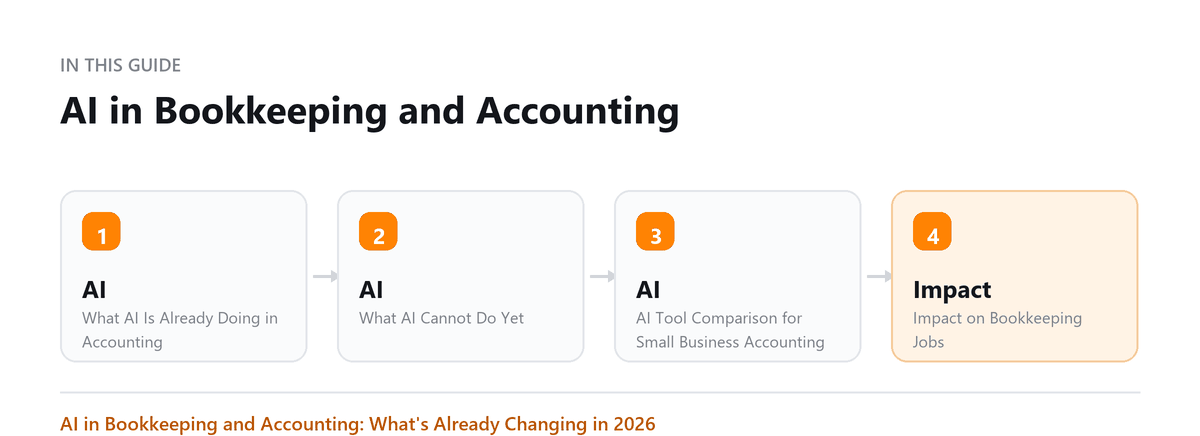
What AI Is Already Doing in Accounting, What AI Cannot Do Yet, and AI Tool Comparison for Small Business Accounting
Automated categorisation and document reading have moved from promising to routine, and the claims made for them have moved further still.
The honest position is that these tools are very good at suggesting and still need somebody to decide. A confidently wrong entry looks exactly like a correct one once it is in the ledger.
This covers what is genuinely working today, what still does not, how the tools compare for a small business, what it means for bookkeeping work, and where it fits in a monthly close.
AI has moved from buzzword to daily tool in accounting. In 2026, most small business accounting software already runs AI features, many users just do not realise it.
What AI Is Already Doing in Accounting
| Application | Tools / Examples |
|---|---|
| Transaction auto-categorisation | QuickBooks Online, Xero, ML models learn your coding patterns |
| Receipt and invoice OCR | Hubdoc, Dext (formerly Receipt Bank), extract vendor, date, amount |
| Duplicate invoice detection | Bill.com, Tipalti, flag likely duplicates before payment |
| Anomaly detection | Xero, NetSuite, flag unusual transactions for review |
| Cash flow forecasting | Float, Pulse, QBO Cash Flow Planner, rolling forecast from actuals |
| AP/AR automation | Bill.com, Chaser, smart dunning and approval routing |
| Bank reconciliation | QBO, Xero, suggested matches reduce reconciliation time by 60-80% |
These tools are very good at suggesting and still need somebody to decide. A confidently wrong categorisation looks exactly like a correct one in the ledger, which is why the review step is the part worth keeping.
Ankit Sagatani, MBA, B.Com · LinkedInWhat AI Cannot Do Yet
- Judgment calls on grey-area transactions (is this a capital expense or operating cost?)
- IRS audit representation or tax authority correspondence
- Complex tax strategy (entity structuring, QSBS eligibility, R&D credits)
- Confirming that an accrual reflects the actual business substance of a transaction
- Advising on purchase price allocation in an M&A transaction
- Signing off on financial statements as a CPA
AI Tool Comparison for Small Business Accounting
| Tool | AI Feature |
|---|---|
| QuickBooks Online | Auto-categorisation, bank matching, basic cash flow forecast |
| Xero | Hubdoc integration for OCR, anomaly alerts, smart reconciliation |
| Dext (formerly Receipt Bank) | Receipt OCR, supplier rule learning |
| Hubdoc | Document fetch, OCR, auto-publish to QBO/Xero |
| Vic.ai | AI-native AP automation: invoice capture, coding, approval |
| Botkeeper | AI-assisted bookkeeping with human CPA review layer |
Impact on Bookkeeping Jobs
AI is augmenting bookkeepers, not replacing them, for now. Routine data entry is shrinking. Demand is growing for bookkeepers who can: review AI output for accuracy, handle exceptions, interpret reports for clients, and advise on cash flow. Firms that automate the routine work and move staff up the value chain are growing faster than those resisting automation.
Where AI Fits in a Month-End Close
The clearest way to think about these tools is to lay them against the close you already run, rather than against the job as a whole. A close has four distinct stages, and the current generation of tools is genuinely useful in two of them, occasionally useful in a third, and no help at all in the fourth.
Capture is where it earns its keep. Reading a document, pulling out the supplier, the date, the amount and the tax, and matching it to a purchase order is pattern work at volume, which is exactly what these systems are good at. Coding is the second: after a few months of your own history, a suggestion for where a recurring transaction belongs is right often enough to save real time, provided somebody still looks at the ones it was unsure about.
Reconciliation is the mixed case. Matching a bank line to an invoice is straightforward and works well. Explaining why a balance moved, which is the part that takes the time, needs context that lives outside the ledger: a contract that changed, a customer who was credited, a payment made on somebody else's behalf.
The fourth stage, judgement, is where the tools stop entirely. Whether a debt is recoverable, whether a cost is capital or revenue, whether a provision is enough: these are positions somebody has to take and be able to defend.
- Start on capture, because it is the stage with the clearest before and after and the lowest cost of being wrong
- Keep a human review on anything the tool flagged as low confidence, and on everything it posted to a suspense or catch-all account
- Measure the change in days to close, not in hours saved, since the point of the exercise is getting numbers sooner
- Leave the judgement calls where they are, and expect to keep doing so
Book a free consultation and we will get the numbers straight.
Frequently Asked Questions
Will AI replace bookkeepers?
Not in the near term. AI handles the pattern-recognition work (categorisation, matching, OCR). Human judgment is still required for exceptions, client communication, and anything that requires understanding the business context behind a number.
Is AI-generated financial data accurate enough for tax filings?
No. AI-categorised transactions should always be reviewed by a bookkeeper or accountant before using them as the basis for tax filings. Auto-categorisation errors compound over a year and can cause material misstatements.
What is the best AI accounting tool for a small business?
QuickBooks Online or Xero with Dext/Hubdoc covers most small businesses well. If you have heavy AP volume, add Bill.com or Tipalti.
Who is responsible if an AI tool codes a transaction wrongly?
You are. The filing carries your signature or your preparer's, and no software vendor takes on that liability. Treat an AI suggestion the way you would treat a junior's work: useful, fast, and reviewed before it becomes the record. In practice the review that catches the most is a monthly scan of anything the tool coded with low confidence and anything it posted to a catch-all account.
Is it safe to put our financial data into an AI tool?
It depends entirely on the terms you agreed to, which is worth reading rather than assuming. The questions that matter are whether your data trains the vendor's models, where it is stored, who at the vendor can see it, and what happens to it when you leave. A tool already embedded in your accounting system is usually covered by that system's agreement; a free assistant you paste figures into is not.

Written by
Ankit Sagatani, MBA, B.Com
Ankit works with business owners across the US on industry-specific bookkeeping, from real estate to construction and retail. He writes about what each trade's books actually need. Connect on LinkedIn Connect on LinkedIn
Related articles
Free consultation
Want Books You Can Rely On?
Book a free consultation and we will get the numbers straight.