

<!doctype html>
Efficient financial management is crucial for any business, and one key metric that can make a significant difference is the cost of goods sold (COGS). A well-organized COGS system helps with profitability understanding, pricing strategy, and expense management.
Key Takeaways
- The COGS formula is: Beginning Inventory + Purchases – Ending Inventory. Only sold inventory counts.
- Using a COGS calculator reduces human error and delivers actionable gross margin insights far faster than manual spreadsheets.
- Inventory valuation method (FIFO, LIFO, or weighted average) directly affects your COGS figure and taxable income.
- In the worked example: $10K beginning + $50K purchases – $15K ending = $45,000 COGS for the period.
This guide covers the COGS calculator concept, the formula, step-by-step calculation methods, real-world examples, and how professional services can help you optimize your financial processes.
What Is a Cost of Goods Sold Calculator?
A COGS calculator is a digital tool designed to help you determine the total cost of producing the goods or services your business sells. It processes financial data including beginning inventory, purchases, and ending inventory to produce a reliable cost figure.
Understanding the Basics
Three inputs drive every COGS calculation:
- Beginning Inventory: The value of your inventory at the start of the accounting period. This forms the baseline.
- Purchases: The cost of additional inventory or raw materials acquired during the period. This accounts for all production costs.
- Ending Inventory: The remaining inventory value at the end of the period. Only the inventory that was sold should be counted.
A robust cost of goods sold calculator can transform raw data into actionable insights, helping you understand your gross profit margins and make smarter pricing decisions.
Why Use a Cost of Goods Sold Calculator?
Calculating COGS manually can be time-consuming and error-prone, especially if you deal with large volumes of inventory. A dedicated calculator addresses four core problems:
- Time Efficiency: Automates the calculation process so you can focus on strategic tasks instead of spreadsheet arithmetic.
- Accuracy: Minimizes human error by using a standardized formula applied consistently every period.
- Financial Clarity: Provides insights into production costs that directly inform pricing and expense management decisions.
- Decision-Making: Understanding COGS helps you assess profit margins and manage inventory and production strategy effectively.
Accurate COGS calculations directly impact your taxable income. If COGS is overstated, you pay less tax now but may face IRS scrutiny later. If understated, you overpay. Professional tax services help ensure your COGS is compliant and optimized for allowable deductions.
How to Calculate COGS: The Formula and Its Applications
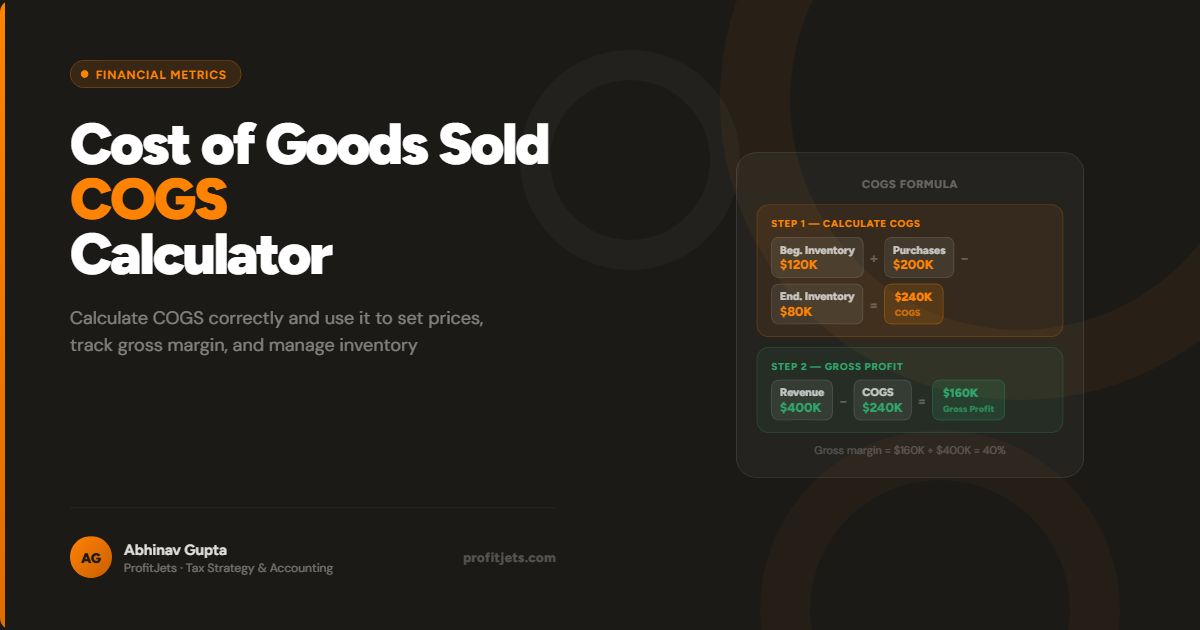
The standard formula is: COGS = Beginning Inventory + Purchases – Ending Inventory. This formula accounts for the value of inventory you start with, adds any additional inventory purchased during the period, and subtracts what remains unsold.
Step-by-Step Calculation Process
- Determine Your Beginning Inventory. This is the value of your inventory at the beginning of the accounting period. It forms the baseline for the calculation.
- Add Purchases. Include all inventory or raw materials purchased during the period to account for all production costs incurred.
- Subtract Ending Inventory. Deduct the value of unsold inventory at the end of the period. This step is crucial because only the inventory that was sold should be counted as cost.
Practical Example
Consider a business with these figures for the year:
| Input | Amount |
|---|---|
| Beginning Inventory | $10,000 |
| Purchases During Period | $50,000 |
| Ending Inventory | ($15,000) |
| Cost of Goods Sold | $45,000 |
This means that $45,000 was the total cost of goods sold during that year. This figure is vital because it directly impacts your gross profit and, ultimately, your overall profitability.
Additional Considerations
Several factors can affect how you apply the COGS formula in practice:
Inventory Valuation Methods
The method you choose to value inventory directly affects your COGS figure. Different approaches have pros and cons depending on your business model and tax situation:
- FIFO (First In, First Out): Oldest inventory costs are counted first. In inflationary periods, FIFO produces lower COGS and higher reported profit.
- LIFO (Last In, First Out): Newest inventory costs are counted first. LIFO typically increases COGS during inflation, reducing taxable income.
- Weighted Average: Averages the cost of all inventory available. A middle-ground approach that smooths out price fluctuations.
The IRS requires you to use a consistent inventory valuation method from year to year. Switching methods requires IRS approval and can trigger scrutiny. Choose your method carefully in the first year and stick with it.
Periodic vs. Perpetual Systems
In periodic systems, inventory levels are determined at the end of the period by physically counting stock. In perpetual systems, inventory is updated continuously with each sale and purchase, providing real-time COGS data. Most modern accounting software supports perpetual tracking.
Seasonality and Fluctuations
Some businesses experience seasonal fluctuations in inventory. Analyzing COGS over multiple periods can help identify trends, distinguish seasonal patterns from genuine efficiency gains, and improve demand forecasting.
By mastering the cost of goods sold formula, you can make better pricing decisions, manage costs more effectively, and improve your overall financial performance.
Benefits of Using a COGS Calculator
Time Savings and Efficiency
Calculating COGS manually can be time-consuming, especially if you deal with large volumes of inventory. A calculator automates the process so your team can focus on interpreting results rather than crunching numbers.
Improved Accuracy
Errors in COGS calculations can lead to inaccurate financial statements, affecting everything from pricing strategies to tax filings. A standardized calculator applies the same logic every time, eliminating transcription errors and formula drift.
Enhanced Financial Analysis
Accurate COGS data lets you calculate your gross profit margin clearly. You can identify which product lines are most cost-efficient and which need pricing or production adjustments.
Better Decision-Making
A clear understanding of your COGS enables you to set competitive pricing, manage cash flow, and allocate resources more efficiently. It also provides the data foundation for investor conversations and loan applications.
Integration with Other Financial Tools
Many cost of goods sold calculators integrate seamlessly with modern accounting software such as QuickBooks, Xero, and Bill.com. This eliminates double entry and keeps your financial picture current in real time.
Need accurate COGS tracking connected to your books and tax filings?
Talk to a Bookkeeping ExpertHow Professional Services Enhance COGS Management
Outsourced Bookkeeping Services
Expert bookkeepers capture every purchase, return, and inventory adjustment accurately, reducing the risk of errors that distort your COGS. Professional services can also scale with your business as inventory complexity grows.
Tax Services
Accurate COGS calculations directly impact your taxable income. Professional tax services help ensure that your financial data is compliant with IRS regulations and optimized for all allowable deductions, reducing your tax burden without creating audit risk.
CFO Services
A fractional or outsourced CFO can help you analyze your COGS data over time, identify cost trends, model the impact of pricing changes, and make strategic decisions to improve profitability. They bring the strategic oversight that goes beyond day-to-day bookkeeping.
Frequently Asked Questions
What is a Cost of Goods Sold Calculator?
How do you calculate COGS?
Why is accurate COGS calculation important?
Which inventory valuation method should I use?
How can professional services improve COGS management?
Conclusion
Efficiently managing your cost of goods sold is essential for understanding your business’s profitability and overall financial health. A reliable cost of goods sold calculator simplifies the process, reduces errors, and provides the financial clarity you need to make smart pricing and production decisions.
Take control of your financial future by integrating robust COGS management practices into your daily operations. With the right tools and expert guidance, you can drive profitability, streamline operations, and set your business on a path to sustainable growth.
Ready to get accurate COGS reporting and maximize your gross margins?
Schedule a Free ConsultationProfitjets Editorial Team
The Profitjets team writes practical financial guides to help small and mid-sized business owners understand key metrics, improve cash flow, and make smarter decisions.