
In most small businesses, expense reporting is an informal process. An employee emails a detailed spreadsheet of all expenses with all the receipts attached. Another one texts a blurry picture of a restaurant receipt with no indication of who was with them on the meal. The owner pays for the hotel room on their personal card and forgets about it until tax season.
All of these expenses are reimbursed eventually, just none of them are entirely certain of where the money went, why it was spent, and if they would stand up to IRS scrutiny.
A standard expense report form solves most of these issues in one fell swoop. Everyone submits the same information in the same way, managers know what to look for when approving expenses, and your bookkeeper doesn't have to pry for all the information when recording the expenses.
In tandem with a well-drafter company policy and a solid approval process, the expense report is an easy way to streamline your business's spending process.
Furthermore, thorough expense reports protect the business. A complete expense report is your documentation for any deduction, and the surest way to avoid errors, double-spending, and other abuses of the company credit is a systematic review.
This guide explains what an expense report is, why a template matters, the fields every report should include, a sample template you can adapt, and how to build an approval and recording process around it.
What Is an Expense Report?
An expense report is a document submitted by an employee or owner listing business expenses they have incurred and paid personally, for which they are seeking reimbursement. It includes the date, amount, category, business purpose, and receipt for each expense. For accounting purposes, the submitted expense report and attached receipts are the primary supporting documentation for the expense entries posted to the general ledger.
The most common problem I find in expense reports isn't dramatic fraud. It's the same receipt submitted twice, once on a card statement and once as a reimbursement claim, or a personal meal slipped in with a business trip. The control that catches it is simple: require an itemized receipt for every line above your threshold, have someone other than the submitter approve it, and spot-check a sample every month. Once people know reports actually get reviewed, the problems drop off quickly.
Ankit Sagatani, MBA, B.Com · LinkedInWhy Use an Expense Report Template?
- Consistency: every submitter provides the same information in the same format, makes review and approval faster
- Policy enforcement: the template can be designed to include only approved expense categories, preventing out-of-policy submissions
- Audit trail: standardised reports with receipt attachments create a complete, defensible audit trail for every reimbursed expense
- Accounting efficiency: a standard format allows the AP team to code and post expenses without clarification requests
- IRS compliance: expense reports with receipts are the required supporting documentation for business expense deductions
How to Create an Expense Report Template
A standard business expense report should include:
| Field | Description |
|---|---|
| Employee name | Full name of the person submitting |
| Department / project | Cost centre or project code for allocation |
| Report period | Date range covered by this report (e.g. April 1-30, 2026) |
| Submission date | Date the report is submitted |
| Expense date | Date each expense was incurred |
| Expense category | Travel, Meals, Accommodation, Office Supplies, etc. |
| Vendor / merchant | Name of where the expense was incurred |
| Business purpose | Brief description: 'Client dinner with [Name], [Company]' |
| Amount | Amount in operating currency |
| Receipt attached? | Yes / No, receipt must be attached for amounts above threshold |
| Approved by | Manager/approver name and date of approval |
| Total reimbursement | Sum of all approved expenses |
Sample Expense Report Template
Below is a standard expense report table, adapt column widths and categories to your business:
| Date | Category | Vendor | Business Purpose | Amount ($) | Receipt |
|---|---|---|---|---|---|
| Apr 3 | Travel | United Airlines | Flight to client site, Chicago | 342.00 | Yes |
| Apr 4 | Accommodation | Marriott | Hotel, client visit | 189.00 | Yes |
| Apr 4 | Meals | Restaurant | Client dinner, 2 attendees | 85.00 | Yes |
| Apr 5 | Travel | Uber | Airport transfer | 22.00 | Yes |
| Apr 8 | Office Supplies | Staples | Printer ink cartridges | 34.00 | Yes |
| TOTAL | 672.00 |
Steps to Build and Implement an Expense Report Process
Step 1: Write a Simple Expense Policy
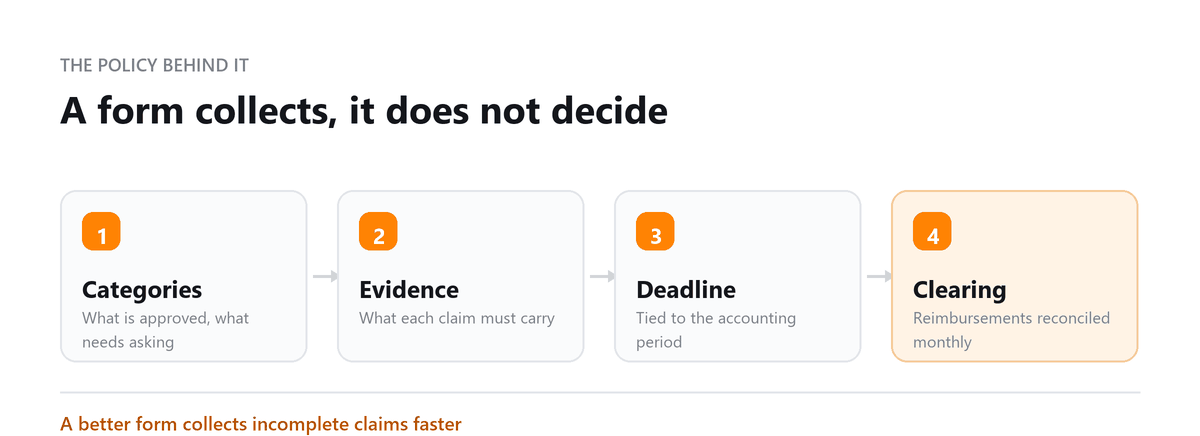
Before rolling out a template, decide the rules it will support. Your policy should cover which expenses are reimbursable, any daily limits for meals or lodging, who can approve what amounts, how soon expenses must be submitted, and when a receipt is required.
Many businesses set their receipt threshold at $25 as internal policy, even though the IRS threshold for most travel and meal receipts is higher. A lower internal threshold keeps records cleaner and makes review easier.
Step 2: Choose Your Format
There are three common options. A spreadsheet in Excel or Google Sheets is simple and inexpensive, but everything is processed by hand. Dedicated expense tools like Expensify, SAP Concur, or Ramp add receipt scanning, automatic policy checks, and direct syncing with your accounting software. And QuickBooks Online and Xero both include basic expense tracking that can work well for smaller teams.
For a business with only a few people submitting expenses, a spreadsheet is often enough. Once reports become frequent or involve many employees, software usually pays for itself in time saved.
Step 3: Set Up an Approval Workflow
Every report should be approved by someone other than the person submitting it, usually their manager. Larger amounts, such as anything over $500, can be routed to the owner or finance lead for a second approval.
Before approving, the reviewer should confirm three things: each expense has a receipt where required, each one fits within policy, and the business purpose is clear enough that someone outside the team would understand it.
Step 4: Record and Reimburse
Once a report is approved, each line is coded to the right expense account and, if you track them, the right department or project. The employee is then reimbursed, usually by direct deposit, through payroll, or by check.
Store the approved report and receipts digitally, organized by period, so they're easy to find when your accountant or an auditor needs them.
Best Practices for Expense Reporting
- Require submission within 30 days of expense, expenses submitted months after the fact are difficult to verify and may not be deductible
- Use a receipt minimum threshold: receipts required for all expenses above $25 (below this, IRS allows contemporaneous records without full receipts for certain categories)
- Never approve your own expenses: the submitter and approver should always be different people
- Audit a sample of reports monthly: randomly review 10-20% of submitted reports in detail, this alone significantly reduces expense fraud and policy violations
During initial expense reviews, approximately 35% of new Profitjets clients have no formal policy for employee or business spending. In the first 90 days, expense reviews typically identify 5 to 10% of total expenses requiring reclassification, additional documentation, or review against company spending policies.
Book a free consultation and we will clean the process up.
Frequently Asked Questions
What receipts does the IRS require for business expenses?
For travel, meals, gifts, and certain transportation expenses, the IRS generally requires documentary evidence such as a receipt for any expense of $75 or more, and for all lodging regardless of amount. Below that, a written record of the amount, date, place, and business purpose can be enough. For meals, you should also record who attended and their business relationship. Many businesses require receipts at a lower threshold as a matter of internal policy.
How long should I keep expense reports and receipts?
The general rule is to keep records for at least three years from the date you filed the return that includes the deduction. Some situations call for longer, such as up to six years if income was significantly underreported. Many businesses simply keep expense records for seven years to be safe.
Are business meals still deductible?
Most business meals with clients, customers, or employees are generally 50 percent deductible, as long as they aren't lavish and the business purpose is documented. Entertainment expenses, like tickets to sporting events or concerts, are generally no longer deductible. Because the rules have exceptions, it's worth confirming specific cases with your CPA.
Can I use a personal credit card for business expenses?
You can, but those expenses should be submitted on an expense report and reimbursed by the business, rather than left mixed in with personal spending. Regularly combining business and personal purchases on one card makes bookkeeping harder and weakens your records if a deduction is questioned. A dedicated business card is the cleaner option.
Do reimbursed expenses count as taxable income for employees?
Not if they're reimbursed under an accountable plan, meaning the expenses have a business purpose, are properly documented within a reasonable time, and any excess advances are returned. Reimbursements that don't meet those conditions are generally treated as taxable wages, so it's worth having a written policy in place.

Written by
Ankit Sagatani, MBA, B.Com
Ankit works with business owners across the US on industry-specific bookkeeping, from real estate to construction and retail. He writes about what each trade's books actually need. Connect on LinkedIn Connect on LinkedIn
Free consultation
Expenses Piling Up?
Book a free consultation and we will clean the process up.