

Small business accounting is not complicated so much as relentless. It is a small amount of work that has to happen every month whether or not anybody has time.
The businesses that find it easy are not the ones with simpler affairs. They are the ones that removed the friction: one account, software reading it automatically, and a fixed monthly routine.
This covers the changes that make the biggest difference, in roughly the order worth making them, and which of them are worth doing before anything else.
Accounting doesn't have to be complicated. For most small business owners, the goal isn't to become an accountant, it's to have clean, reliable numbers without spending your life on it. These eight habits will get you there.
1. Open a Dedicated Business Bank Account
Mixing personal and business money is the number one accounting mistake small business owners make. It makes bookkeeping slower, taxes harder, and creates liability exposure for sole proprietors.
- Open a business checking account the day you start your business
- Get a dedicated business credit card for all business purchases
- Pay yourself a 'salary' transfer from business to personal, don't blur the line
- Never pay personal expenses from the business account
Pro Tip: Even if you're a sole proprietor with no legal requirement to separate accounts, do it anyway. Your tax preparer will thank you, and charge you less.
Three of these carry the rest: a dedicated account, software reading it, and a reconciliation every month. Each makes the next one easier and none works properly without the one before. Everything else on the list improves a system that already exists.
Abhinav Gupta, CPA, CA, MBA · LinkedIn2. Use Accounting Software (Not Excel)
Spreadsheets break. They don't reconcile. They don't generate financial statements automatically. And they require manual entry for everything.
| Software | Best For |
|---|---|
| QuickBooks Online | Most US small businesses; deepest CPA ecosystem |
| Xero | Tech-forward businesses; global support |
| FreshBooks | Service-based businesses; great invoicing |
| Wave (free) | Freelancers and very early-stage businesses |
The right accounting software will connect to your bank, generate reports, and integrate with payroll and tax tools, all automatically.
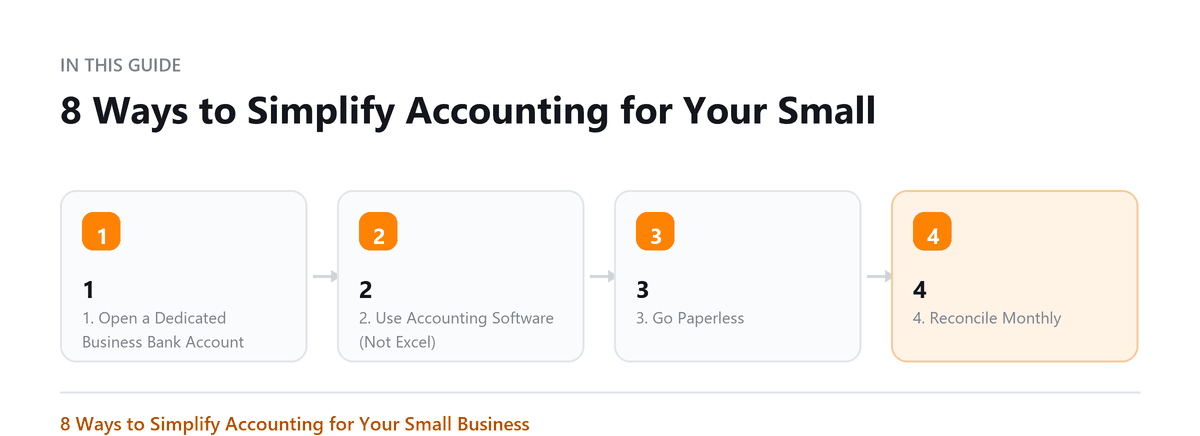
3. Go Paperless
Paper receipts fade, get lost, and pile up into a bookkeeping nightmare. A paperless system means every document is searchable, backed up, and ready at tax time.
- Use a receipt scanning app (Dext, Hubdoc, Expensify) from day one
- Scan and file vendor invoices to a cloud folder (Google Drive, Dropbox) organized by month
- E-sign agreements instead of printing, signing, and scanning
- Store bank statements digitally and download monthly
4. Reconcile Monthly
Monthly bank reconciliation means comparing your accounting software records to your actual bank statement and explaining every difference. It catches errors, fraud, and missing transactions.
- Block 30 minutes per month for this task
- Do it within 5 business days of month-end
- Investigate every unexplained difference before closing the month
- Keep a reconciliation log, useful for CPA review and audits
5. Hire a Bookkeeper for Routine Work
Your time has a dollar value. If you're spending 10 hours per month on bookkeeping and you bill at $150/hour, that's $1,500 of your time. A bookkeeper costs $300-$800/month and will do it better.
- Outsource data entry, categorization, and reconciliation
- Keep strategic decisions for yourself (pricing, hiring, investment)
- Brief your bookkeeper monthly on any changes in the business
- Review the reports they produce, don't just trust without checking
6. Automate Invoicing
Manual invoicing is slow and prone to errors. Automating it gets you paid faster and reduces follow-up work.
- Create invoice templates in your accounting software
- Set up recurring invoices for retainer or subscription clients
- Enable automatic payment reminders (7 days, 1 day before due, day of)
- Offer ACH or credit card payments directly on the invoice
Pro Tip: Businesses that offer online payment on invoices get paid on average 4-7 days faster. That's real cash flow.
7. Review Your P&L Monthly
Your Profit and Loss statement (income statement) tells you whether your business made money last month. Most small business owners never look at it. Those who look monthly make better decisions.
- Compare this month to last month: what changed?
- Compare to the same month last year: how is the business growing?
- Track gross margin separately from net profit
- Look for unusual spikes in expense categories
You don't need to understand accounting to understand your P&L. Revenue minus expenses equals profit. Start there.
8. Budget and Compare Actuals
A budget isn't just a planning document, it's a control tool. Comparing your actual results to your budget monthly shows you where the business is drifting and why.
- Build a simple 12-month budget in your accounting software or a spreadsheet
- Update it once a year; revise mid-year if the business changes significantly
- Generate a Budget vs. Actual report monthly
- Investigate any variance over 10-15% in a major line item
Book a free consultation and we will bring them current.
Frequently Asked Questions
Can I do my own accounting as a small business owner?
Yes, especially in the early stages. The key is to use good software, separate your accounts, and reconcile monthly. As the business grows, bring in a bookkeeper for routine work and a CPA for taxes and planning.
How much time should accounting take per month?
With the right tools and habits, 2-4 hours per month for review, the software and bookkeeper handle the rest. Tax season requires more time for documentation, but not if you stay organized year-round.
When should I switch from cash to accrual accounting?
Most small businesses start on cash basis. Switch to accrual when you have significant inventory, deferred revenue, or when your bank requires accrual-basis financials for a loan. Your CPA can advise.
What's the single biggest simplification I can make today?
Open a dedicated business bank account if you haven't already. That one step eliminates hours of sorting transactions and makes every other accounting task easier.
Which of these should we do first if we are starting from nothing?
The bank account, then the software, then the monthly reconciliation, in that order. Each one makes the next one easier and none of them works properly without the one before. A dedicated account gives the software a clean feed to read, the software turns that feed into records, and the reconciliation is what proves the records are complete. Everything else on the list improves a system that already works; these three are the system.

Written by
Abhinav Gupta, CPA, CA, MBA
Abhinav works with business owners across the US on industry-specific bookkeeping, from dental practices and restaurants to construction and e-commerce. He writes about what each trade's books actually need. Connect on LinkedIn
Free consultation
Books Behind?
Book a free consultation and we will bring them current.