
Bookkeeping Services QuickBooks Online: Plans, What Your Bookkeeper Does, Integrations and Access
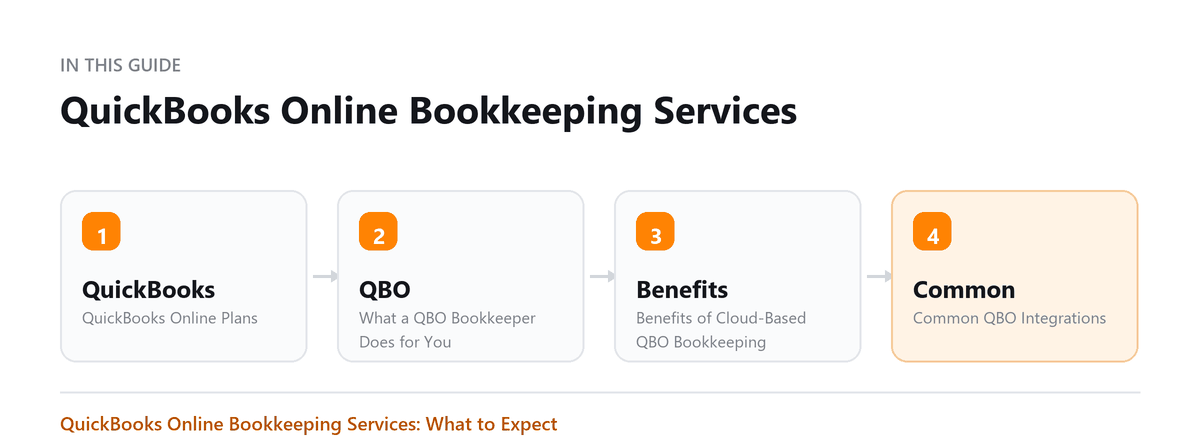
QuickBooks Online Plans, What a QBO Bookkeeper Does for You, and Benefits of Cloud-Based QBO Bookkeeping
Most small business bookkeeping in the country runs through one platform, and most of what people find frustrating about it is configuration rather than capability.
The plans differ in ways that matter, the integrations do a lot of the real work, and access is frequently shared in a way that breaks the audit trail and makes removing somebody awkward.
This covers the plans and what separates them, what a bookkeeper actually does inside the system, the benefits of running it in the cloud, the common integrations, where it stops being enough, and how to grant access properly.
QuickBooks Online is the most widely used small business accounting platform in the US. When you hire a bookkeeper who works in QBO, you get cloud-based books accessible from anywhere, a large ecosystem of integrations, and the ability to share access with your CPA. Here's what to expect.
QuickBooks Online Plans
| Plan | Best For |
|---|---|
| Simple Start | Self-employed or solo business; income/expense tracking only |
| Essentials | Adds accounts payable, multi-user, time tracking |
| Plus | Adds inventory, project tracking, budgeting, most common for SMBs |
| Advanced | Large businesses needing custom reporting, batch invoicing, 25 users |
Most small businesses that hire a bookkeeper will be on Essentials or Plus. Your bookkeeper can help you choose the right plan.
Give your bookkeeper access through the accountant invitation rather than sharing your own login. It keeps the audit trail intact, and removing access when somebody leaves becomes one click instead of a password change.
Ankit Sagatani, MBA, B.Com · LinkedInWhat a QBO Bookkeeper Does for You
- Connects and maintains bank feeds (bank accounts, credit cards, PayPal, Square)
- Categorizes transactions according to your chart of accounts
- Reconciles all accounts monthly
- Manages accounts payable (enters bills, prepares payment runs)
- Manages accounts receivable (creates invoices, sends reminders, records payments)
- Processes payroll (or coordinates with a payroll service)
- Generates monthly financial statements (P&L, balance sheet, cash flow)
- Provides year-end reports for your CPA
Benefits of Cloud-Based QBO Bookkeeping
- Real-time access to your financials, anytime, anywhere
- Bookkeeper and CPA can work in the same file simultaneously
- Automatic bank feeds reduce manual entry errors
- Bank-level security and automatic backups
- No software installation or IT maintenance required
- Mobile app for reviewing reports on the go
Common QBO Integrations
| Category | Popular Integrations |
|---|---|
| Payroll | QuickBooks Payroll, Gusto, ADP |
| Receipt capture | QuickBooks mobile receipt capture, Dext, Hubdoc |
| E-commerce | A2X (Amazon/Shopify), Shopify direct integration |
| CRM / billing | HubSpot, Salesforce, FreshBooks (migration) |
| Time tracking | TSheets (now QuickBooks Time), Harvest |
| Inventory | Cin7, Fishbowl, SOS Inventory |
| Tax prep | Lacerte, ProConnect Tax (Intuit's own) |
When QuickBooks Online Is Not Enough
QBO is excellent for most small businesses, but it has limits:
- Manufacturing businesses with complex job costing may need industry-specific ERP
- Businesses with 10+ locations may outgrow QBO's reporting
- Law firms need trust accounting tools not native to QBO (use Cosmolex or Clio alongside QBO)
- Non-profits with complex fund accounting may prefer Aplos or Sage Intacct
- Businesses with multi-currency and international operations may find Xero more capable
How to Give Your Bookkeeper QBO Access
- Go to Settings (gear icon) > Manage Users
- Click 'Add user' and select 'Accountant'
- Enter your bookkeeper's email address
- They accept the invite and connect via their QBO Accountant account
- Set their access level, most bookkeepers need full access; restrict as appropriate
Pro Tip: Never share your QBO owner/admin login with anyone. Always create a separate Accountant user. This maintains an audit trail and lets you revoke access easily.
Book a free consultation and we will bring them current.
Frequently Asked Questions
Is QuickBooks Online or QuickBooks Desktop better?
For most small businesses hiring a bookkeeper, QBO is the right choice. It's cloud-based, easier to share, integrates with more tools, and is where Intuit is investing for the future. Desktop is being retired for new subscriptions.
How much does QuickBooks Online cost?
Plans range from roughly $30/month to $200+/month for Advanced. Intuit frequently runs 50% off promotions for the first 3 months. Your bookkeeper or accountant may have wholesale pricing through their ProAdvisor program.
Can my QBO bookkeeper also do my taxes?
Only if they're a licensed CPA or EA. A bookkeeper maintains your records; a tax professional prepares and signs your return. Many firms (like Profitjets) offer both services under one roof.
What happens to my QBO data if I switch bookkeepers?
Your QBO subscription is yours. When you change bookkeepers, remove the old bookkeeper's access in Manage Users and add the new one. Your data stays intact.
What should we agree about access and ownership before we start?
That the subscription is in your company's name and that you hold the administrator login, with your bookkeeper added as a user. It sounds like a detail and it decides how easily you can ever leave. Where the provider owns the file, changing provider becomes a negotiation rather than a decision. Agree in writing that the data is yours, that you can export it at any time, and what notice applies if either side ends the arrangement.

Written by
Ankit Sagatani, MBA, B.Com
Ankit works with business owners across the US on industry-specific bookkeeping, from real estate to construction and retail. He writes about what each trade's books actually need. Connect on LinkedIn Connect on LinkedIn
Free consultation
Books Behind?
Book a free consultation and we will bring them current.