
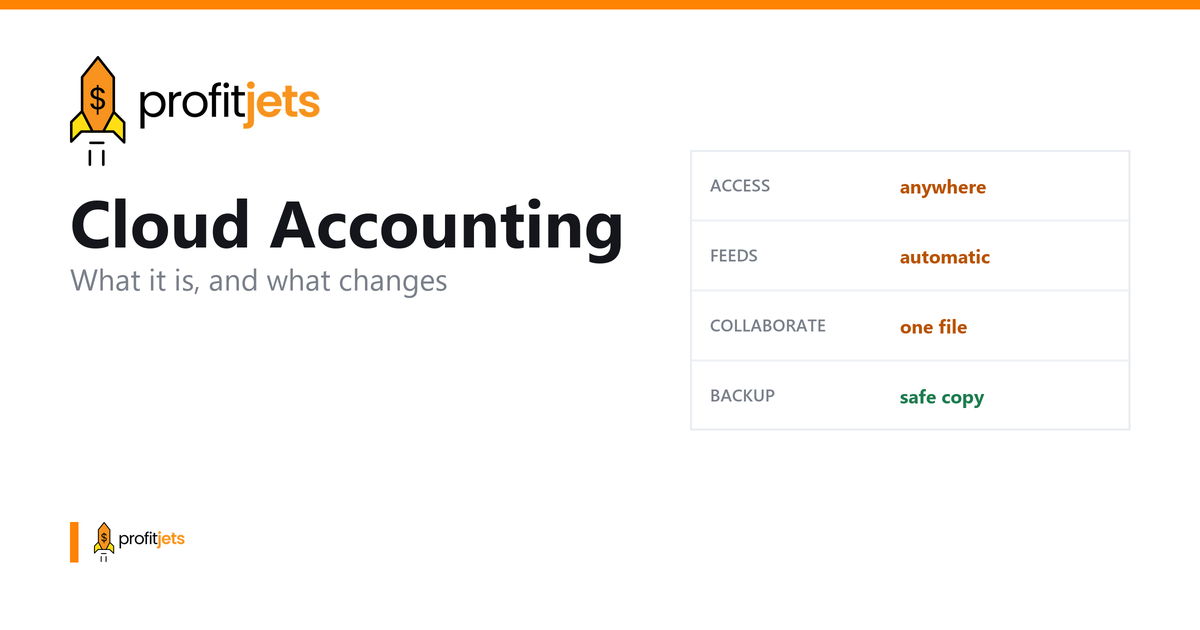
Not long ago, a small business's books lived on one computer in the office. The bookkeeper came in to update them, backups meant copying files to a drive, and the owner had to wait for a printed report or an emailed spreadsheet to see how the month went. If that computer failed, or the file was open on someone else's machine, the numbers weren't available.
Cloud accounting moves the books online. The software and financial data are hosted on secure remote servers and accessed through a web browser or mobile app, so owners, bookkeepers, and accountants can all work from the same up-to-date file wherever they are.
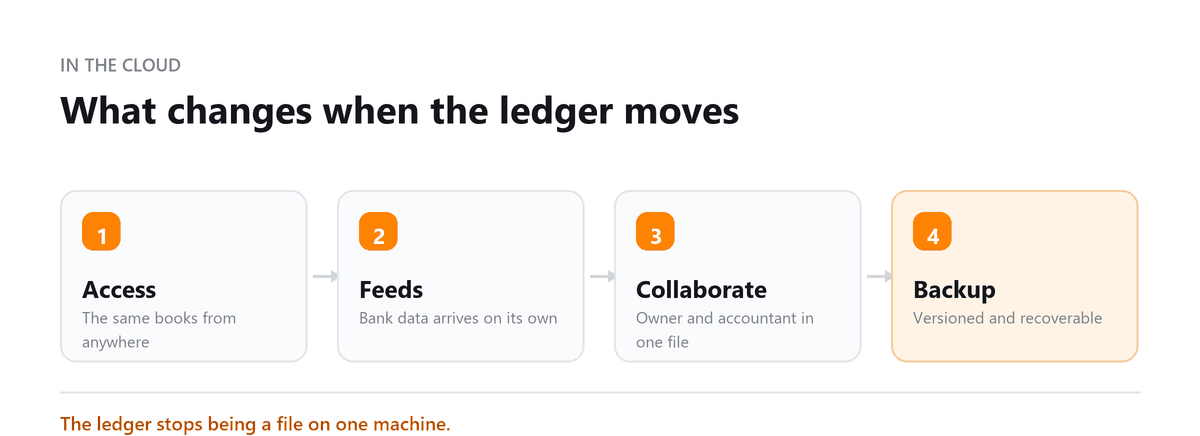
Bank feeds bring in transactions automatically, invoices and receipts can be handled from a phone, and connected apps for payroll, payments, and inventory sync without manual uploads.
For most small businesses, the shift isn't really about technology. It's about getting current numbers without waiting, letting an outside bookkeeper or CPA work directly in your books, and spending less time on data entry. Cloud systems still need someone to review transactions, reconcile accounts, and close the month properly, but they make that work faster and far easier to share.
Expert Perspective
The biggest advantage of cloud accounting for small businesses isn't that it's online. It's that everyone works from one set of books. The trade-off is that automation makes it very easy to categorize transactions badly at scale, so the businesses that get the most from cloud accounting are the ones that still review and reconcile their books every month.
Ankit Sagatani, MBA, B.Com · LinkedInThis guide covers what cloud accounting is, how it differs from desktop software, its main advantages and limitations, security considerations, popular cloud accounting platforms, and how to choose and switch to the right system for your business.
What is Cloud Accounting?
Cloud accounting is the practice of managing financial records through internet-accessible platforms rather than locally installed desktop software. Financial data is stored on remote servers maintained by the software provider, and users access the system from any device with an internet connection whether a desktop browser, a tablet, or a mobile phone. The shift from desktop to cloud accounting represents the same transition that happened with email (from Outlook installed on one machine to Gmail accessible everywhere) applied to financial management.
How Does Cloud Accounting Work?
The process is largely automated: users input transactions manually or connect bank accounts and credit cards via secure API feeds; the software automatically categorizes and processes those transactions using rules and machine learning; financial reports update in real time as new data flows in; all data is stored with encryption on remote servers maintained by the provider; and authorized users access everything from any browser or mobile app. The accounting work still happens, it just happens faster, with less manual entry, and from anywhere.
What is Cloud Accounting Software?
Cloud accounting software is a web-based application that delivers full accounting functionality, invoicing, expense tracking, bank reconciliation, financial reporting, payroll, and tax preparation, without requiring installation on a local machine or manual data backups. The software is updated automatically by the provider, meaning users always have the latest features and compliance updates without purchasing new versions.
Cloud Accounting: Key Features
- Multi-device accessibility, access from any computer, tablet, or smartphone with an internet connection.
- Real-time collaboration, multiple users with different permission levels can work simultaneously in the same system.
- Automated bank feeds, transactions imported and categorized automatically, eliminating most manual data entry.
- Security with automatic backups, bank-level encryption and continuous off-site backup remove the risk of local data loss.
- Scalable subscription pricing, pay for what you need, upgrade as you grow, without software purchase costs.
- API integrations, connect payroll, invoicing, CRM, e-commerce, and payment processing into one financial ecosystem.
Cloud Accounting vs Traditional Accounting Software
| Factor | Cloud Accounting | Traditional Desktop Software |
|---|---|---|
| Access | Any device, anywhere | Single machine only |
| Updates | Automatic | Manual (purchase upgrades) |
| Cost | Monthly subscription | One-time licence + upgrade costs |
| Collaboration | Multi-user, real-time | Single user (or network setup) |
| Backup | Automatic, off-site | Manual (risk of local failure) |
| Security | Bank-level encryption | Depends on local IT security |
| Scalability | Instant plan upgrades | New licence required |
Is Cloud Accounting Critical for Small Businesses?
For most small businesses, cloud accounting is not just beneficial, it is the practical standard. Affordable subscription pricing eliminates the high upfront cost of desktop software. Automatic updates keep compliance and features current without IT support. Bank feeds eliminate hours of manual data entry each month. Remote access means the business owner, accountant, and bookkeeper can all work in the same system without file-sharing logistics. The question is no longer whether to use cloud accounting, it is which platform fits your business best.
Advantages of Cloud Accounting
- Enhanced accuracy: automated data capture and bank matching reduce the human errors inherent in manual entry.
- Improved cash flow visibility: real-time dashboards show current account balances, outstanding invoices, and upcoming bills at a glance.
- Streamlined tax preparation: categorized, reconciled records throughout the year make year-end tax work a review rather than a reconstruction.
- Automatic backups: data is continuously backed up to geographically distributed servers, no single point of failure.
- Data-driven insights: real-time reports and trend analysis give management current information for pricing, hiring, and investment decisions.
Top Cloud Accounting Software
| Software | Starting Price | Best For |
|---|---|---|
| Xero | $25/month | Growing businesses, multi-user |
| QuickBooks Online | $38/month | Small to mid-size businesses |
| FreshBooks | $23/month | Freelancers and service businesses |
| Sage Intacct | Custom pricing | Mid-market, multi-entity |
How Profitjets Helps SMEs with Cloud Accounting
Profitjets sets up, manages, and optimizes cloud accounting systems for small and mid-sized businesses. We select the right platform for your business model, configure it properly from the start (chart of accounts, bank feeds, user access), and run ongoing bookkeeping and reporting so you always have accurate, current financials, without building an internal accounting team.
Expert Perspective
More than 500 businesses rely on Profitjets for outsourced bookkeeping, with the team supporting cloud-based platforms including QuickBooks, Xero, and NetSuite to keep financial records organized and up to date.
We recently helped a small business move from desktop-based accounting to a cloud accounting system, migrating its existing records and setting up automated transaction feeds and reconciliations. Once the migration was complete, the client could access current financial information remotely and spend less time manually updating and organizing the books.
Conclusion
Cloud accounting has replaced desktop software as the standard for businesses of all sizes. The combination of real-time access, automated bank feeds, multi-user collaboration, and bank-level security makes cloud accounting objectively superior to locally installed alternatives for the vast majority of businesses. The decision is no longer whether to use cloud accounting, it is which platform and which support model fits your needs.
Book a free consultation and we will move you across without losing history.
Frequently Asked Questions
Is cloud accounting safe for sensitive financial data?
Yes, leading cloud accounting platforms use 256-bit AES encryption (the same standard banks use), two-factor authentication, role-based access controls, and continuous off-site backups. In most cases, cloud storage is more secure than a local server or laptop with no IT infrastructure.
Can multiple people access cloud accounting at the same time?
Yes, this is one of the core advantages. Cloud platforms like Xero and QuickBooks Online allow multiple users with different permission levels to work simultaneously. Your accountant, bookkeeper, and management team can all access the same real-time data without file-sharing conflicts.
Does cloud accounting work without internet?
Most cloud accounting software requires an internet connection to sync data in real time. Some platforms offer limited offline functionality (for invoicing or expense recording) that syncs when reconnected. For businesses with unreliable internet, this is a practical consideration when choosing a platform.
How much does cloud accounting software cost?
Pricing typically ranges from free (Wave, basic tier) to $25-$38/month for small business plans on Xero or QuickBooks Online, up to custom enterprise pricing for platforms like NetSuite or Sage Intacct. Most platforms scale pricing by number of users and features required.
How long does it take to migrate from desktop accounting to cloud?
A straightforward migration (small business, one entity, under 2 years of history) typically takes 1-4 weeks including data export, import, reconciliation, and user training. Complex migrations with multiple entities, payroll history, or custom reports take 1-3 months. Professional migration support significantly reduces error risk.

Written by
Ankit Sagatani, MBA, B.Com
Ankit works with business owners across the US on industry-specific bookkeeping, from real estate to construction and retail. He writes about what each trade's books actually need. Connect on LinkedIn Connect on LinkedIn
Free consultation
Still on Desktop Software?
Book a free consultation and we will move you across without losing history.